


Covers everything released to production between 4 July and 4 September 2026. Written for ground operators, Vendor Partners, and the buyers who use the public directory.
Highlights
- The activity feed is live. New activity appears within seconds, without clicking an updates button.
- Insurance tracking on Professional plans. Certificate of Insurance tracking and verification is no longer Premium-only, and there is a guided path from upload to tracked.
- More ways to be found. Fleet pages by city and vehicle class, airport-transfer pages in every city with supply, and new NEMT and crew-transfer service pages.
- Self-service for integrators. API credentials, a token test, and sandbox accounts from Platform Configuration, plus the GNet Robot for proving a farm-in integration end to end.
- Six new countries. Rwanda, Azerbaijan, Grenada, Barbados, Vietnam, and Oman each gained their first GNet ground operator.
- AI assistants can read the network. Verified ground operators, fleet, and credentials are published in the formats assistants consume. Read-only, contact details withheld.
New countries on the network
Six countries gained their first GNet ground operator in this period. Each is a
published profile a buyer can find and contact today.
| Country | Member name | Based in | Profile |
|---|---|---|---|
| Rwanda | Colobus Travels | Kigali | /gnet/colobustravel |
| Azerbaijan | Gobakutransfer | Baku | /gnet/gobakutransfer |
| Grenada | National Taxi Service | Saint George | /gnet/national-taxi-service |
| Barbados | Scoobaay Taxi Service | Saint Peter | /gnet/scoobaaytaxi |
| Vietnam | MUI NE PRIVATE CAR | Lâm Đồng | /gnet/muineprivatecar |
| Oman | Routxplore | Salalah | /gnet/routxplore |
Tanzania, on the network since May, added a second member in Dar es Salaam:
Famfi Adventures.
If you farm out work into any of these markets, these are the ground operators to
partner with first — being early in a country is worth more than being one of
many later.
Being found by buyers
Your public profile is a storefront
The public profile was rebuilt. A visitor lands on your cover photo, your name and tagline, two clear next steps, and the trust signals that matter (compliance, tenure, fleet size) above the fold. Each section renders only when there is real data behind it, so a new profile reads as clean rather than empty. On phones, Needs, Posts, Messages, and Team Members are now reachable from the mobile navigation, and the Needs table fits the screen.
Fleet pages by city and vehicle class
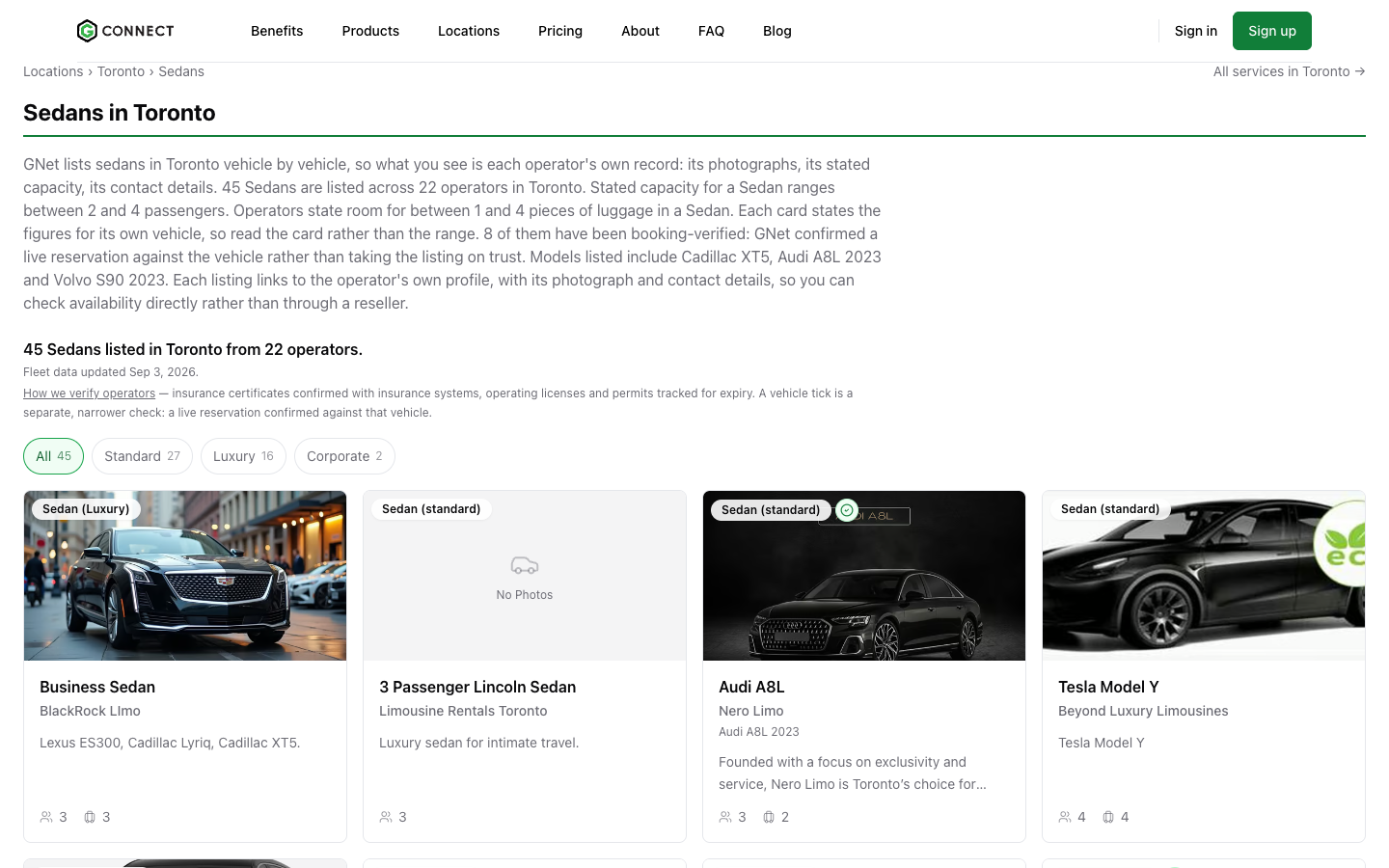
GNet now publishes pages that pair a city with a vehicle class: sedans in Toronto, sprinters in London, buses in Dubai. Each page lists real vehicles with photos, seating, and a link through to the vehicle on your profile.
- Live for London, New York, Toronto, Los Angeles, Miami, Paris, Chicago, Las Vegas, and Dubai, across sedan, SUV, van, sprinter, limo, and bus.
- You appear automatically if you have a published location near one of these cities and public vehicles of that type.
- Accurate photos, vehicle type, and seating are what get you picked, so it is worth checking your fleet entries.
Airport transfers in every city with supply
Airport-transfer directory pages now index in any city with verified supply, instead of the 22 cities that were hand-listed. Boston, Dallas, Orlando, and many others were already listing operators but were hidden from search engines. They are now indexed, in the sitemap, and linked from the locations page.
NEMT and airline crew transfers
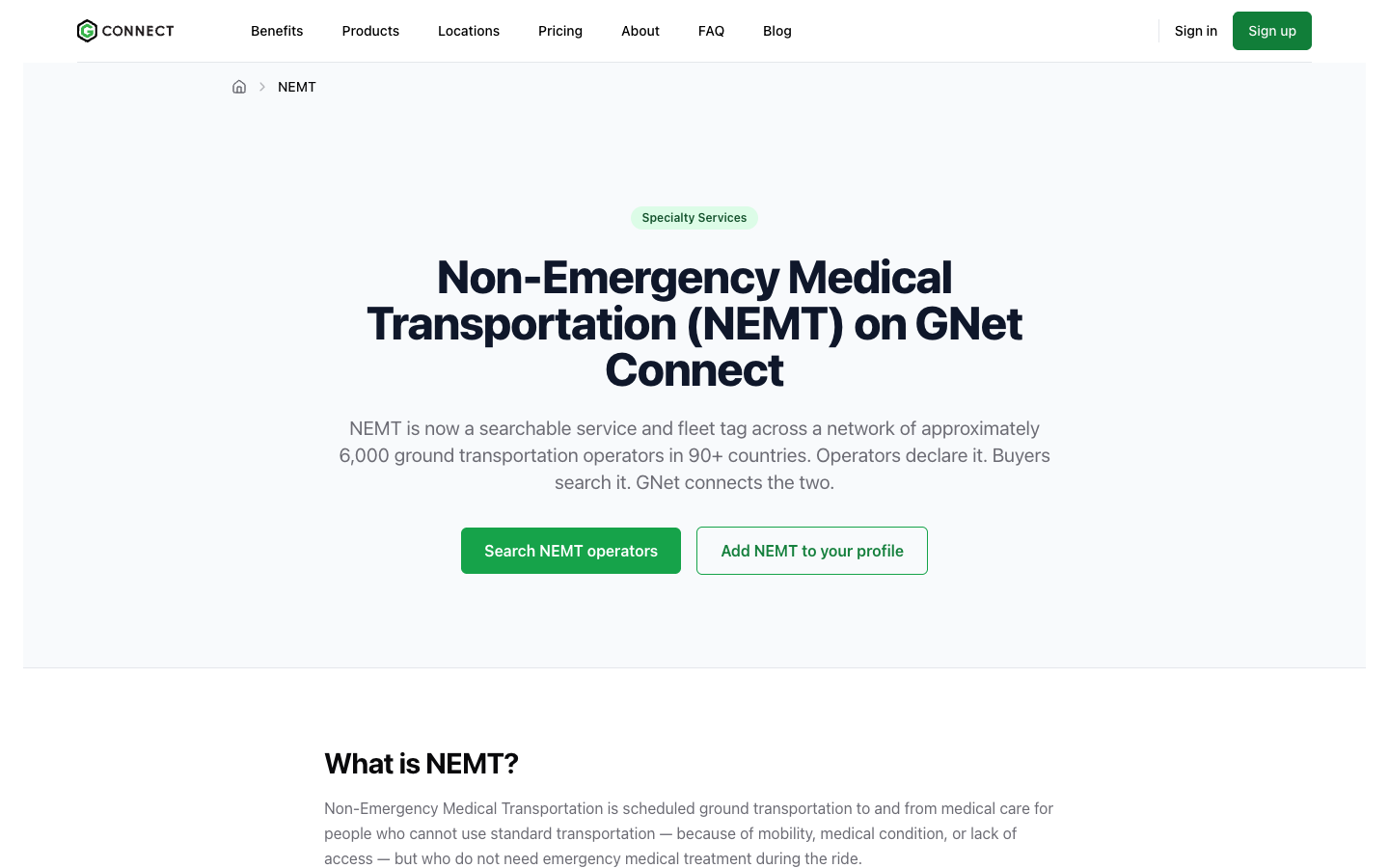
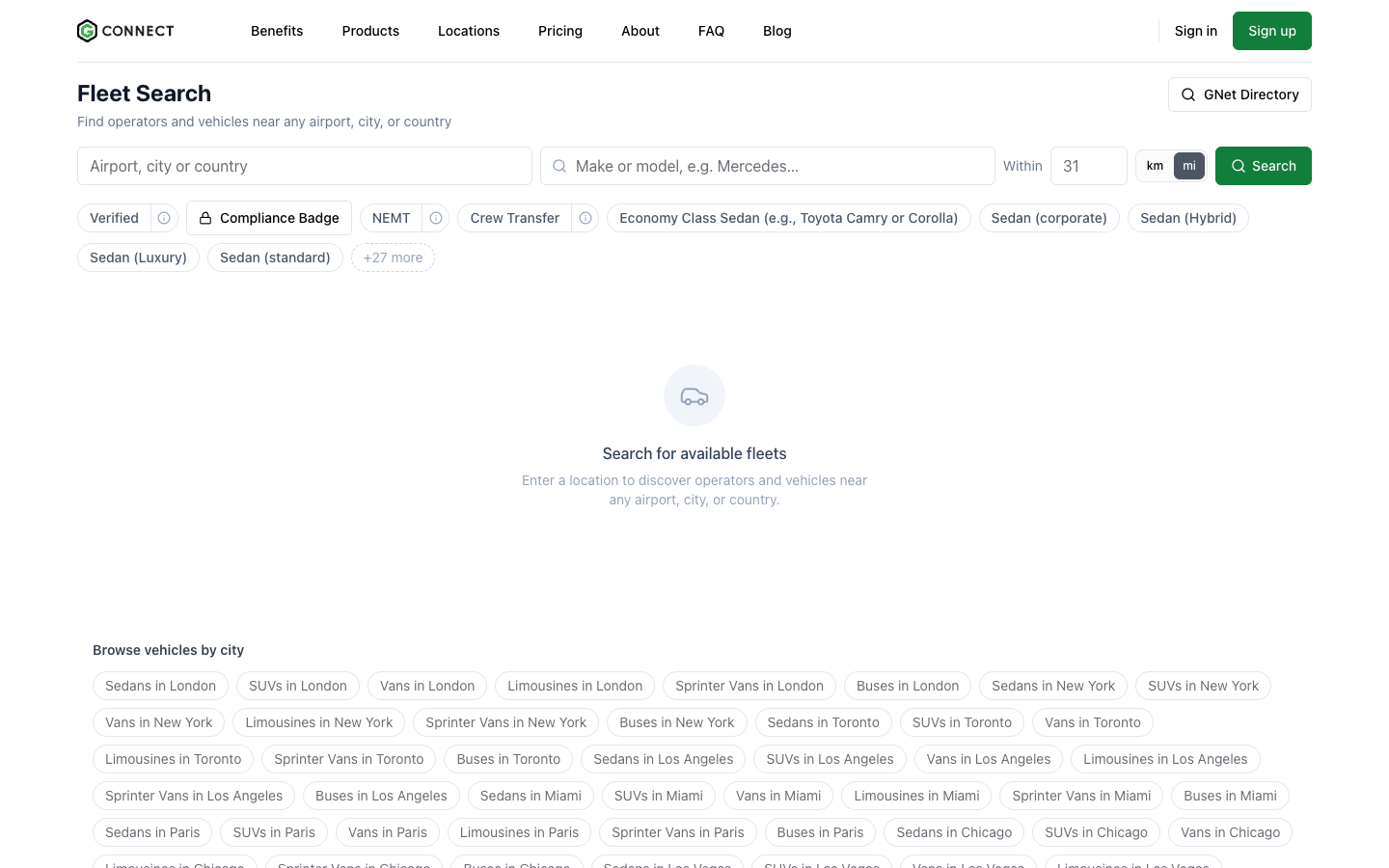
Two new service pages describe non-emergency medical transportation and airline crew transportation for buyers. If you provide either, declare it from the prompt on your dashboard. Buyers can then filter Fleet Search for operators with that specialty.
Found by AI assistants
GNet Connect publishes its verified network in the formats AI assistants read: Model Context Protocol, an A2A agent card, an API catalog, OpenAPI, and llms.txt. When a traveller or booker asks an assistant for ground transport in a city you cover, your profile is in the pool it draws from. Assistants can search and read only. Nothing can be booked, changed, or paid for through them, and contact details are not exposed to anonymous queries.
Faster public pages
Public profiles, location pages, fleet pages, and marketing pages are served from a global edge cache for visitors who are not signed in. The page a buyer lands on from a search result loads from the location nearest to them.
New guides for buyers
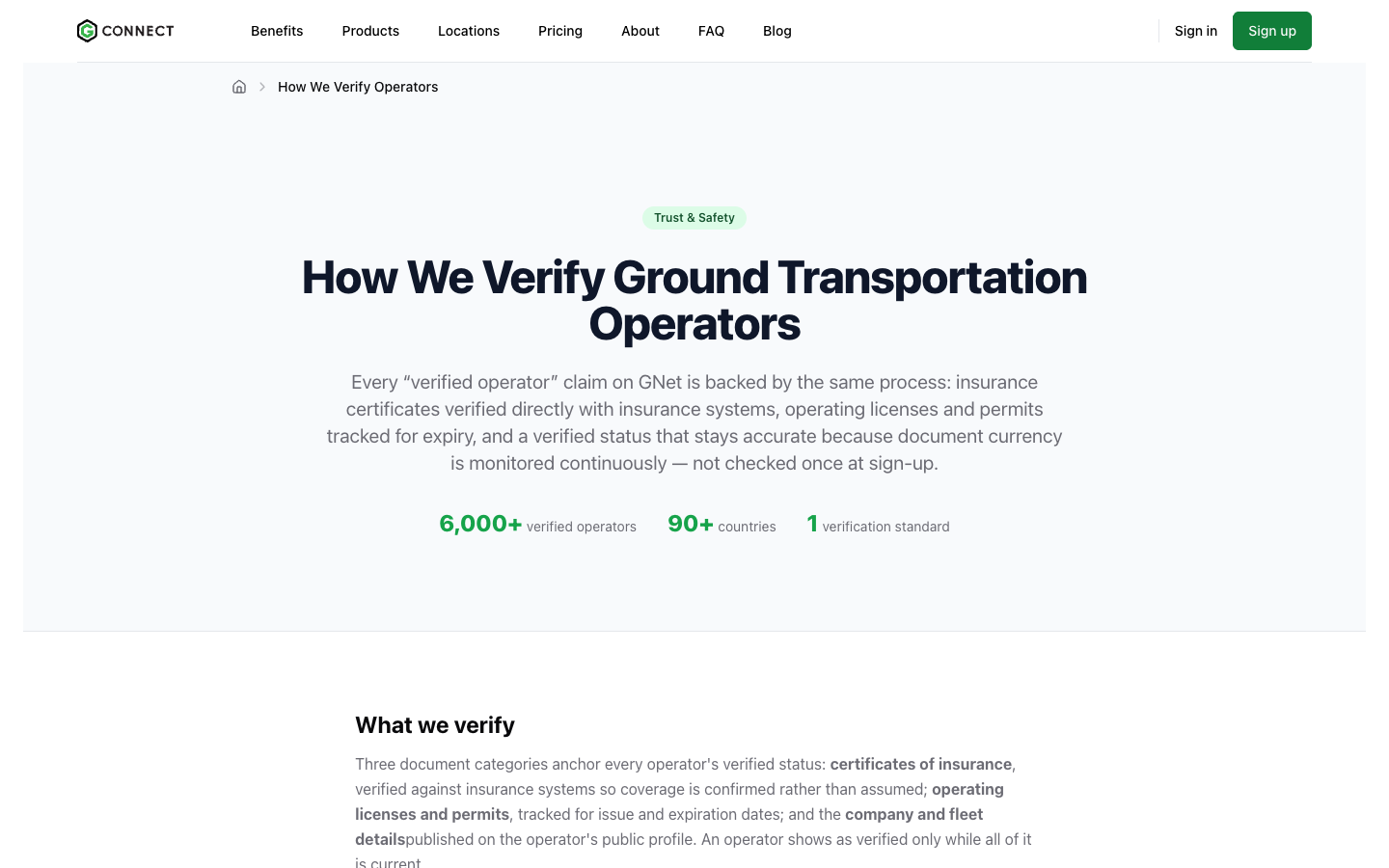
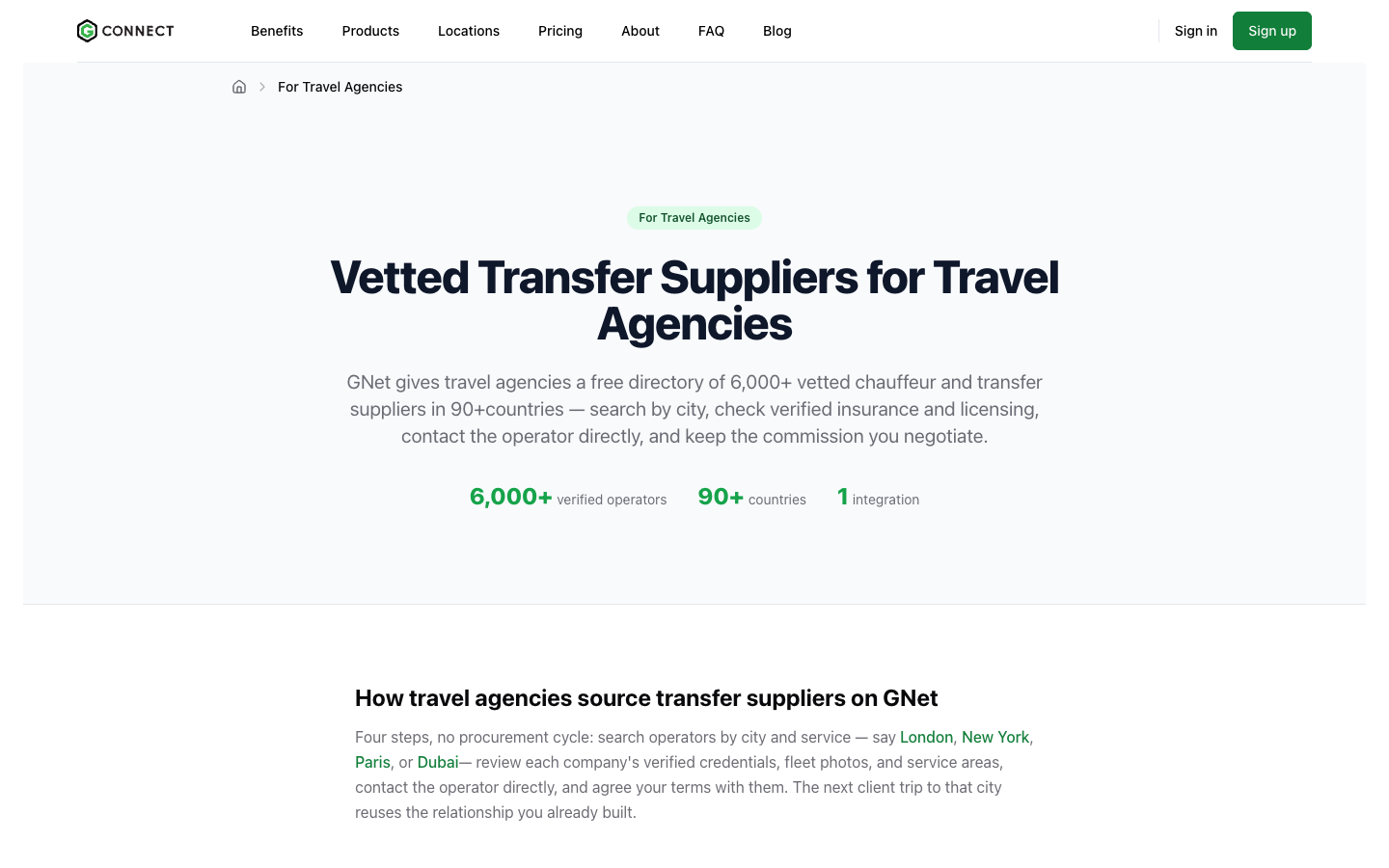
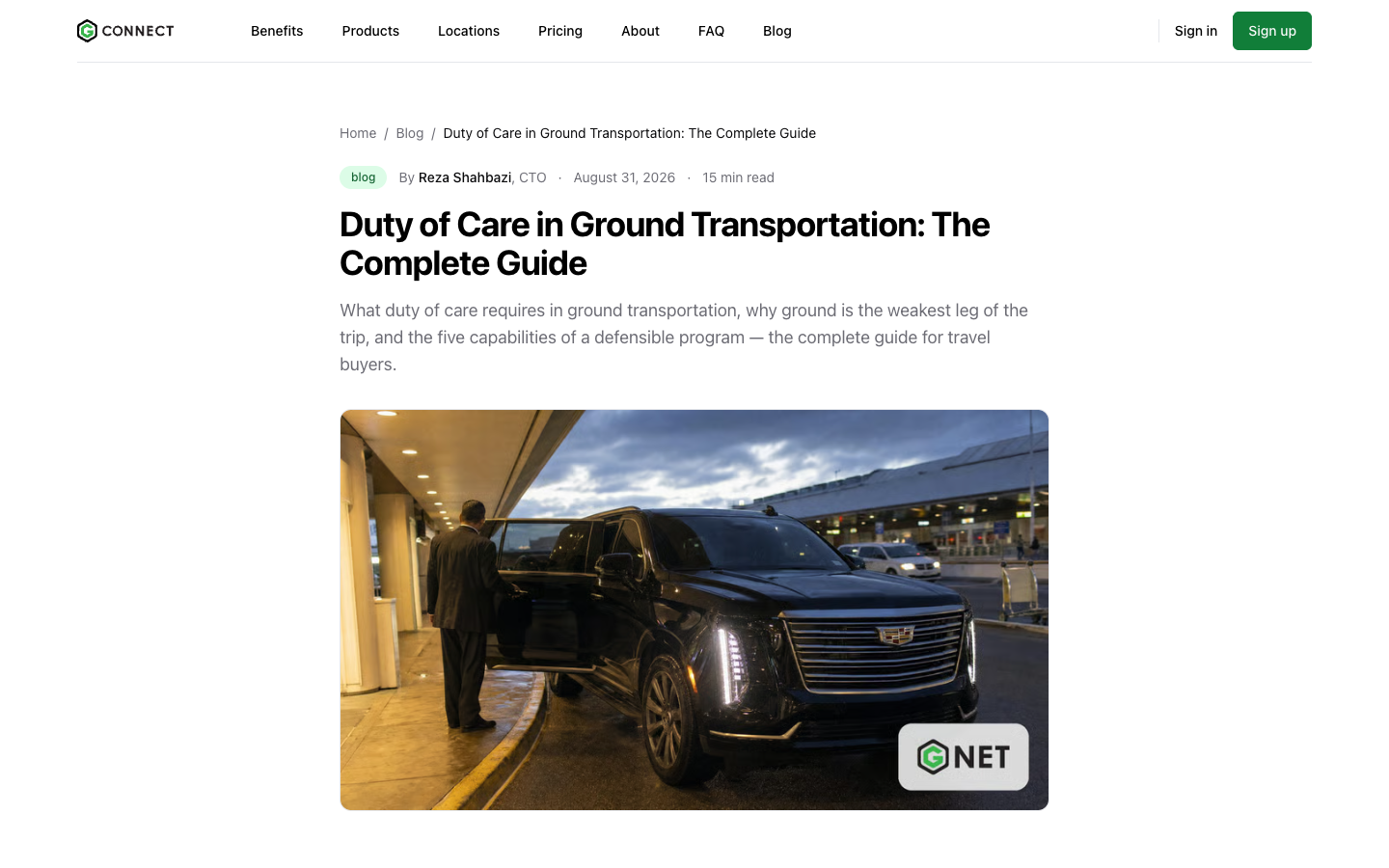
Buyers now find a page explaining how GNet verifies ground operators, a guide to the difference between a ground operator, a DMC, and a chauffeur network, a page for travel agencies sourcing transfer suppliers, a duty-of-care guide for travel managers, and a landing page for independent operators. Every member returned through these pages is drawn from the same verified directory.
Activity feed and posts
Live feed
New activity appears in your feed on its own, seconds after it is published, with an animation showing where it landed. Before, every new item sat behind an updates button that itself only learned about new items every 30 seconds.
The feed shows only what you can see
Updates to unlisted documents no longer appear in everyone’s feed, and sandbox accounts are excluded from the shared feed. Watcher cards now show the document’s title and type instead of repeating the reason. Visiting the feed clears the unread badge immediately and keeps it cleared as you navigate away.
Delete your posts, or turn one into a Need
You can delete a post you have published, with a confirmation step first. Posts about available capacity, a vehicle for sale, a role you are hiring for, or a question for the network carry a Push to Affiliate Needs action that drafts a Need with the fields filled in. Nothing is published until you submit it.
Send a members-only post to someone outside GNet and they now land on the post’s title with a prompt to sign in, rather than being bounced away.
Mutual partners
Open another member’s profile and you will see how many partners you have in common. Click the count to see who they are, with a link to each profile. The count covers partners who are publicly listed on GNet.
Available to: all members see the count. Names open on Premium and Enterprise plans.
Search and Fleet Search
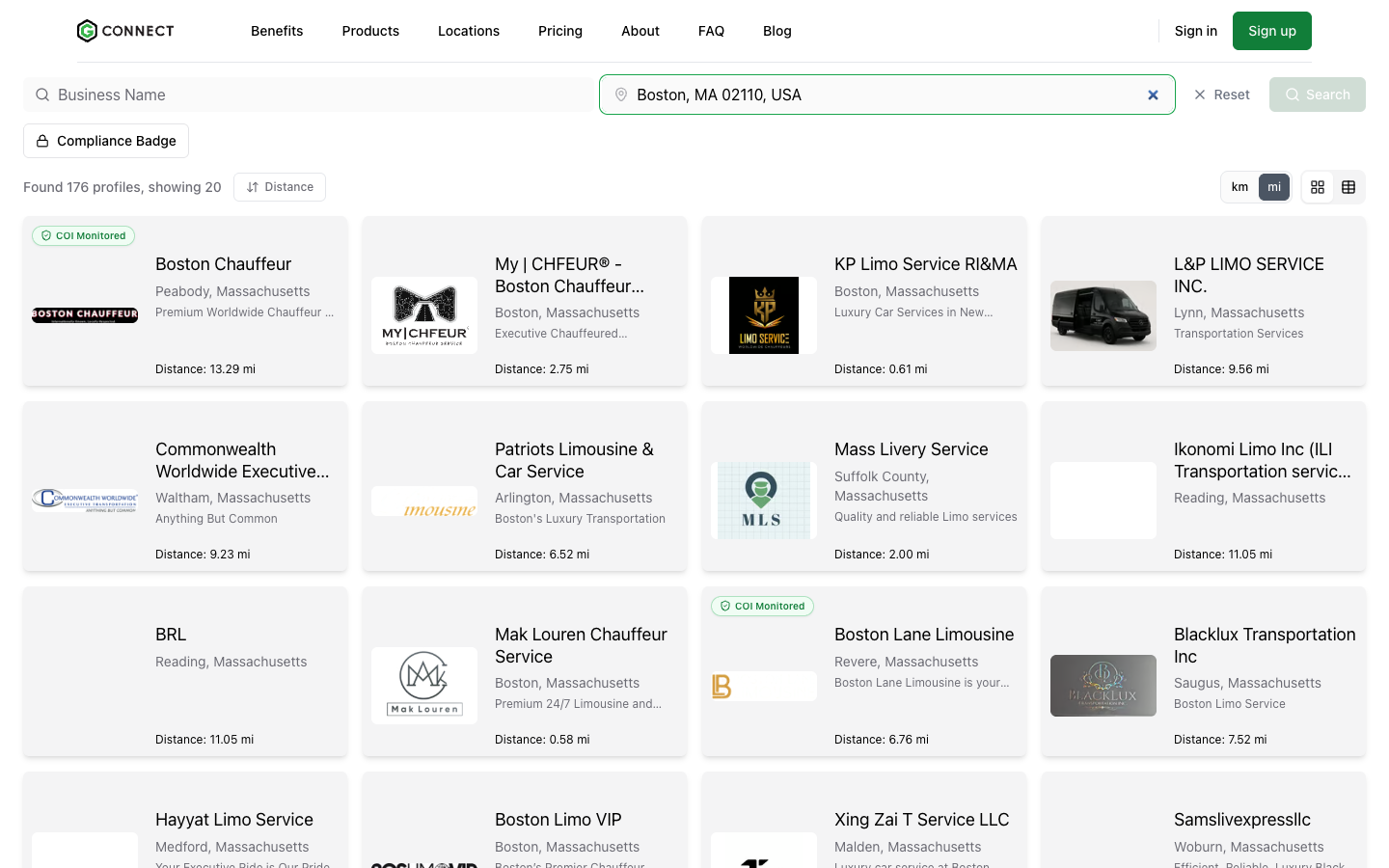
- Search by ZIP or postal code. The directory location box accepts a ZIP or postal code alongside cities, airports, and countries, returning operators within 50 km. Typing free text and pressing Search now searches what you typed.
- Results show the branch that matched. A Doha search used to show an operator’s London head office. Results now render the location that actually matched, with the map pin and distance measured to it.
- Interstate and intrastate filters. Fleet Search can be narrowed to vehicles certified for interstate or intrastate commerce, with a plain explanation of each next to the filter.
- Redesigned result cards. Badges (compliance, COI monitored, plan tier) have their own row and no longer overlap. The Compliance Badge filter, which used to break search entirely, works.
- Certification badges in Fleet Search results, matching the main search.
- Inactive locations are hidden from the map, your public locations page, share pages, and radius search. You still see and manage them in the dashboard.
- Operators with “test” in their name are no longer hidden from public search. Sandbox and test accounts can still be found by their exact GNet ID.
- The Search button works with browser translation. Translated pages no longer throw an error instead of showing results.
Compliance and documents
Document tracking on Professional plans
Certificate of Insurance tracking and verification moved from Premium-only to Professional and above, unlimited on both.
A guided path for your Certificate of Insurance
Ground Operators in the US and Canada see a prompt to upload a Certificate of Insurance, and a follow-up prompt to get it tracked once it is on file. While there is outstanding insurance work, a small dot appears on Documents in the sidebar. Dismissing either prompt keeps it quiet for two weeks. Onboarding no longer blocks on a verified COI, because verification depends on your insurance agent responding. A new picker lets you enrol an already-uploaded document in tracking, and the street-address field refuses a full address so the insurer’s lookup works.
Compliance badges per vehicle type
Compliance badges can now be issued per vehicle type, and an operator can hold
both interstate and intrastate authority at once. Tracked insurance policies can
be renamed and dragged into folders like any other document.
Document requests
- Pick several partners at once when requesting documents. One request is created per partner, with clear feedback on any that failed.
- The template’s description travels with the request and renders in the notification email. Templates can allow invitees to upload extra documents beyond the listed ones.
- Edit the message for a single request without changing the saved template.
- The request shows the document type instead of “None”.
- Upload errors are specific. Wrong document type, closed request, filled slot, or wrong recipient each get their own message, and the file you selected survives the error.
More document changes
- New DOT and FMCSA document types: driver qualification file, vehicle file, drug and alcohol policy, clearinghouse queries, ELD logs, accident register, DVIR, maintenance records, IFTA, PVH licence, and more.
- Private and unlisted documents are never exposed through a list, a link, a feed event, or a stable public URL. Files are served only through short-lived signed links after the viewer is checked.
- Expiry reminders now come from one document watcher, so you get consistent notices instead of ad hoc emails.
- The document detail page was decluttered.
Needs
- A smarter need form. A live map previews which subscribers will be notified for the selected location and radius. The radius is adjustable from 5 to 100 km. The form is now a guided, numbered layout, and replies get pre-send coaching.
- Needs outside the US now show correctly in the affiliate needs list.
- Private visibility retired. A need is either network-wide or partner-only.
- Vendor Partners can use Affiliate Needs. The needs list filters and sort work again, rows become cards on phones, and editing a live need recaps what changed before it republishes.
- Formatted descriptions. Formatting in a need description renders as formatted text on the dashboard and the public need page.
Integrations, API, and Vendor Partners
Platform Configuration
- Vendor Partners and operators integrating directly against the GNet API can issue and rotate their own API credentials.
- Each key has a Get Token action that exchanges the key for tokens and shows the response, with a cURL sample for the host you are on.
- Vendor Partners can create their own sandbox account instead of filing a ticket.
- Vendor Partners can edit a platform client’s adapter configuration (adapter URL, callback URL, username, password) from the Platform Clients list.
- Saving the configuration no longer wipes the adapter type or vendor platform, and the setup instructions include the robot sender’s GRiDD ID.
Available to: Vendor Partner and API-integrated accounts. Issuing credentials requires an Admin or Manager role.
GNet Robot
Ground operators on a Gateway integration can click Start and the robot sends one real farm-in reservation to their endpoint, streaming the exchange into a live transcript. The run then walks the ride through its lifecycle with you: confirm, assign a vehicle, assign a driver, en route, on location, passenger on board, dropped off. When the reservation is closed out, the closing cost is shown. A run refuses to start without the gateway credential it depends on, and there is a cooldown between runs.
Fleet verification and test reservations
- A failed test reservation now shows the reason in the form, with a link to the reservation when one was created.
- Saving a verified vehicle under a different type removes its verified status. GNet warns you before you save, confirms afterwards, and offers a one-click way to start verification again.
- Automatic verification now requires the provider’s own confirmation number, and success is reported only after the record is confirmed saved.
Other integration changes
- Register with SIXT. On the accepted-partner page, SIXT can register a partner’s webhooks with one click once the partner’s credentials are saved.
- Partner API for posts. Platforms can create, update, and delete an operator’s posts server-to-server, with the same review rules as the portal.
- gBook. A rebuilt booking form with a dry-run view, in-progress trip list, and a consent step before a passenger is saved to the Mini-CRM. Visible to allow-listed accounts, Vendor Partners, API operators, and sandbox accounts.
- Reservations you farm out show full pickup, drop-off, stop, and passenger details to the sending operator’s managers, without asterisks.
- Limo Anywhere. Changing the company ID after connecting is gated, and the provider ID cache is fixed.
Smart Agent
- Changes and cancellations. The Smart Email Agent recognises when a client is writing to move or cancel an existing trip, matches it to the reservation, and stages it as an Update or Cancel request. Nothing is changed automatically. You review and confirm, and you can edit the date, time, vehicle type, or passenger count first.
- Default client for direct emails. Choose in Settings which client the agent assumes when an email arrives directly.
Dashboard, billing, and account
Notifications in one place
The dashboard used to stack up to seven banners. There are now at most two inline banners (one critical, one attention) and a bell that holds everything else. A dismissal is stored on the server, so it survives reloads and device switches.
WhatsApp opt-in from the dashboard home
Ground Operators who have not opted into WhatsApp alerts can agree from a banner on the overview page, prefilled with the company contact number, instead of finding Settings → Alerts. Dismissing it keeps it quiet for two weeks.
Market pricing included in your plan
The Average Price report under Analytics compares your rates against the market by vehicle type. It was previously visible only to GNet staff. Market figures are withheld for any group small enough to expose an individual operator.
Available to: Professional, Premium, and Enterprise plans, plus accounts in an active free trial.
Billing
- Duplicate credit cards are removed automatically, keeping the default or oldest.
- A stale payment-failure banner clears once the payment succeeds.
- The buy-credit sheet scrolls on small screens.
- The crash on the billing page after setting up a payment method is fixed, and deposit reads now report failures instead of failing silently.
Profile and settings
- Your profile score is calculated from one shared catalogue, so the score card and the “Add Content” checklist agree. Saving your profile no longer overwrites the score.
- Website addresses are validated and normalised on sign-up, contact, settings, and the vendor wizard. Existing bare domains still work.
- The first save of an About or Home page no longer fails for operators who had never saved one.
- The dashboard paints its frame first and streams counts and banners afterwards, so it opens faster.
- Documents now lives under Content in the sidebar for everyone.
Sign-in and sign-up
- Reservation-system selects default to a real option instead of a blank placeholder, and sign-up buttons say what happens next.
- The password-reset page confirms only when the email was actually sent.
- The Partner field on the quotation page is a compact dropdown that opens the directory search, with no more self-partner duplicates.
Public site and translations
- The blog renders article prose and hero images correctly, and an outage on article pages is fixed.
- French and German copy no longer shows raw apostrophe entities, and several pages that displayed a raw key instead of translated text are fixed.
- Invalid language paths return a not-found page instead of an error.
- The live map no longer blanks when a location has no coordinates, and independent operators show as pins.
Questions about any of these changes? Contact support or your GNet account manager.