

Covers everything released to production between 4 September and 1 November 2026. Written for operators, Vendor Partners, and the buyers who use the public directory.
Highlights
- Trip inquiries come to you. Visitors on your public profile can request a trip. Confirmed inquiries arrive in a new Leads inbox, with simple follow-up tracking.
- NEMT and crew transfers by city. Every city with supply has its own NEMT and airline crew-transfer page, and AI assistants can now search both by location.
- Test both sides of your integration. The Integration Robot sends trips to you (Farm In) and now receives trips from you (Farm Out), checking each status callback.
- A simpler activity feed. One tab at a time, New Members first, and Needs back in the feed.
- Send a Need’s notifications again. If a Need reached nobody, or new subscribers have joined since, you can send it out again from the Need page.
Trip inquiries and the Leads inbox
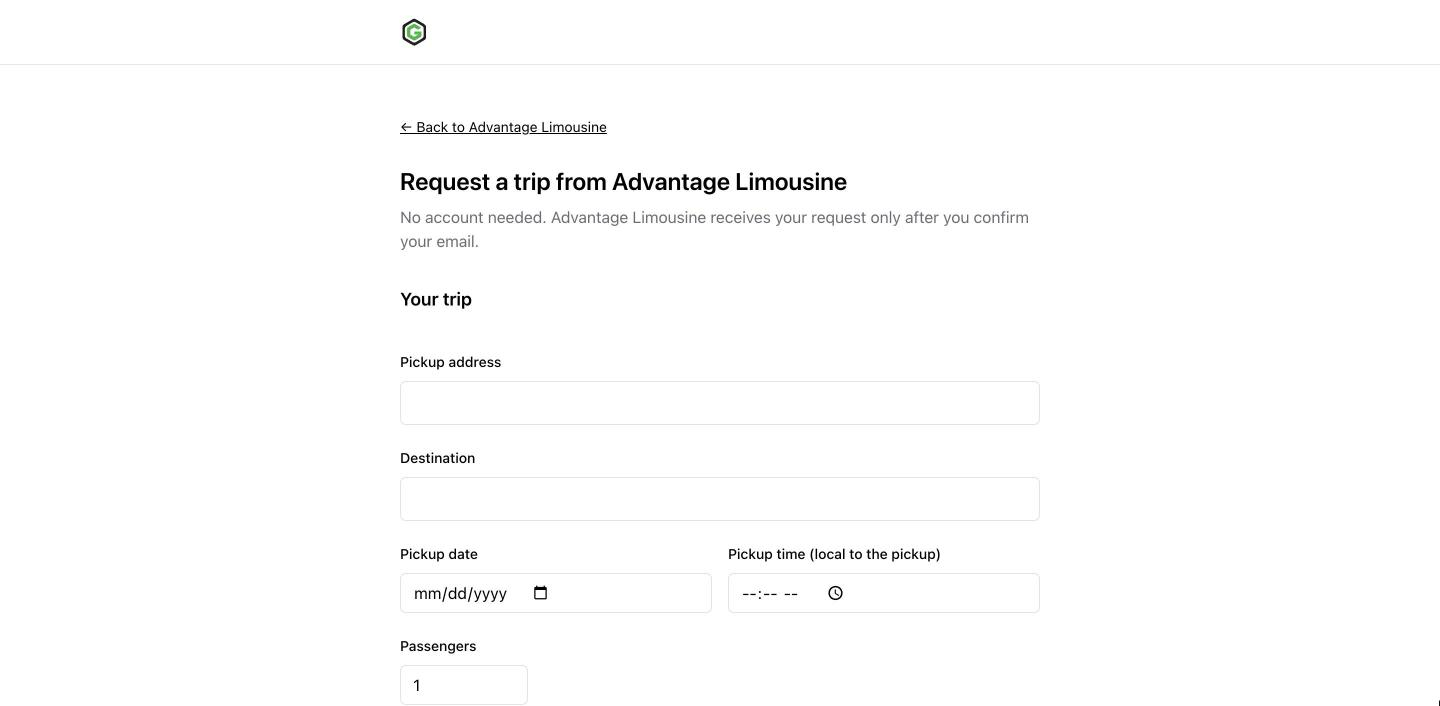
A visitor who finds you through search or an AI assistant can now ask you for a trip directly from your public profile. The inquiry page keeps everything on one screen: trip details, an optional service and vehicle from your own fleet listings, and contact details.
- The visitor confirms their email before anything reaches you, so each lead is a real person who asked for a trip.
- Confirmed inquiries arrive in Leads in your dashboard and in your main company email.
- Mark each lead New, Contacted, or Closed, and change it back if you need to. Leads stay until you delete them.
- A summary above the inbox shows how many visitors clicked a trip button on your profile, how many sent an inquiry, and how many confirmed it, next to your New, Contacted, and Closed counts.
- Clicking Contact us about a trip on one of your vehicle pages opens the form with that vehicle already chosen.
- You follow up with the visitor yourself, by email or phone.
Available to: operators on a paid plan receive new inquiries; a free trial alone does not qualify. Every operator can open Leads. On other plans it explains that new inquiries are closed for the current plan, and leads you already hold stay available after a plan change.
On eligible profiles, the trip buttons now open this inquiry form instead of an external reservation link or embedded booking tool. Your reservation-link settings note the change.
Being found by buyers
NEMT and airline crew transfers in every city with supply
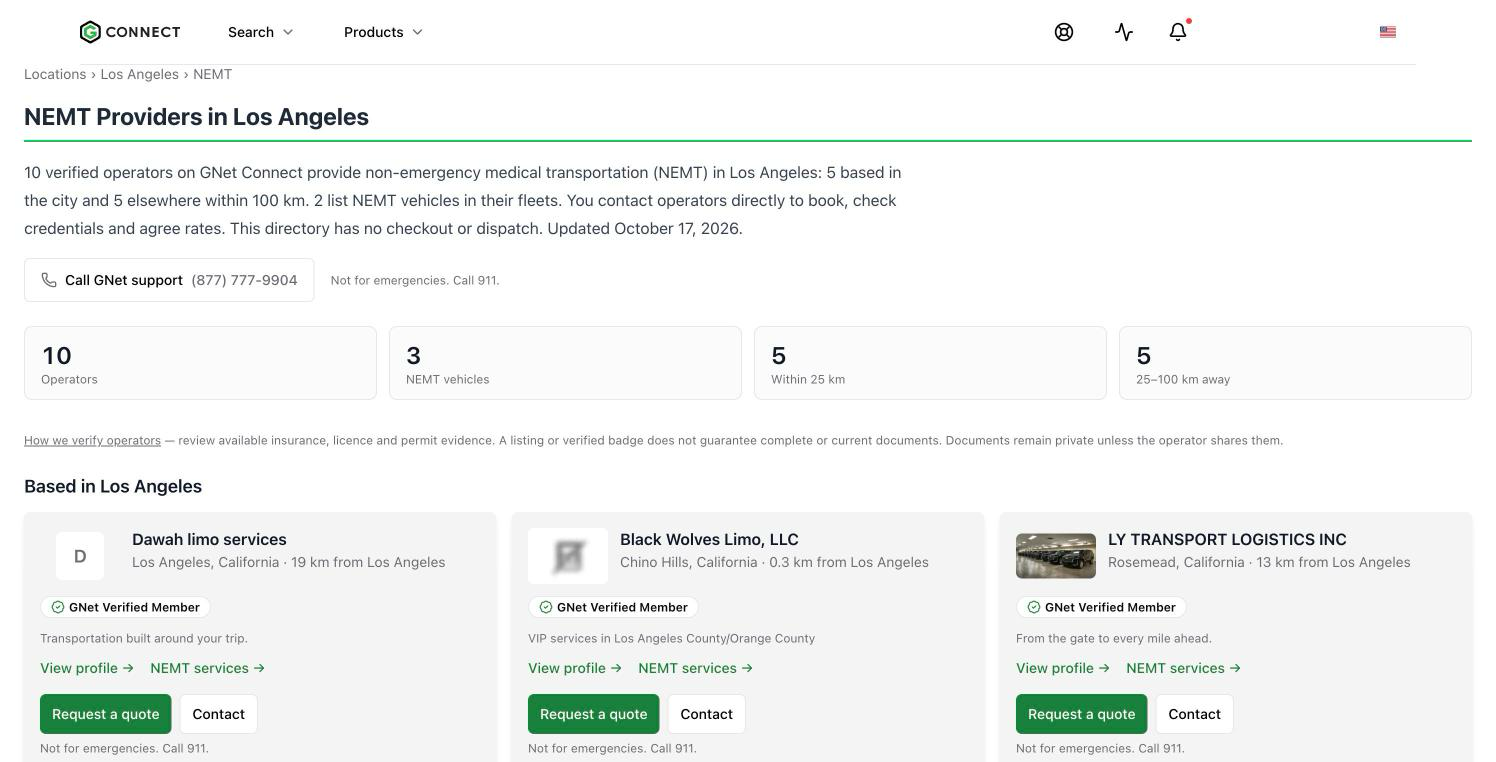
Non-emergency medical transportation and airline crew transfers each have an indexable page per city, such as /location/los-angeles/nemt. Each page answers what the service is, lists operators grouped by distance, and carries local context and an FAQ. Pages are published only where verified supply exists. Operator service pages now link to these city pages and to the /nemt and /crew-transfers overviews.
AI assistants that search GNet for these services now filter by location. A search for a wheelchair van near LAX returns operators near LAX instead of a national list.
If you provide either service, declare it from the prompt on your dashboard so you appear on these pages.
City pages list local operators first
City service pages, such as corporate transportation in Boston, now list operators within 25 km of the city first, then by distance, and each card shows the branch that matched. Page titles include the live operator count, and state and province labels are consistent.
Fleet pages, redesigned
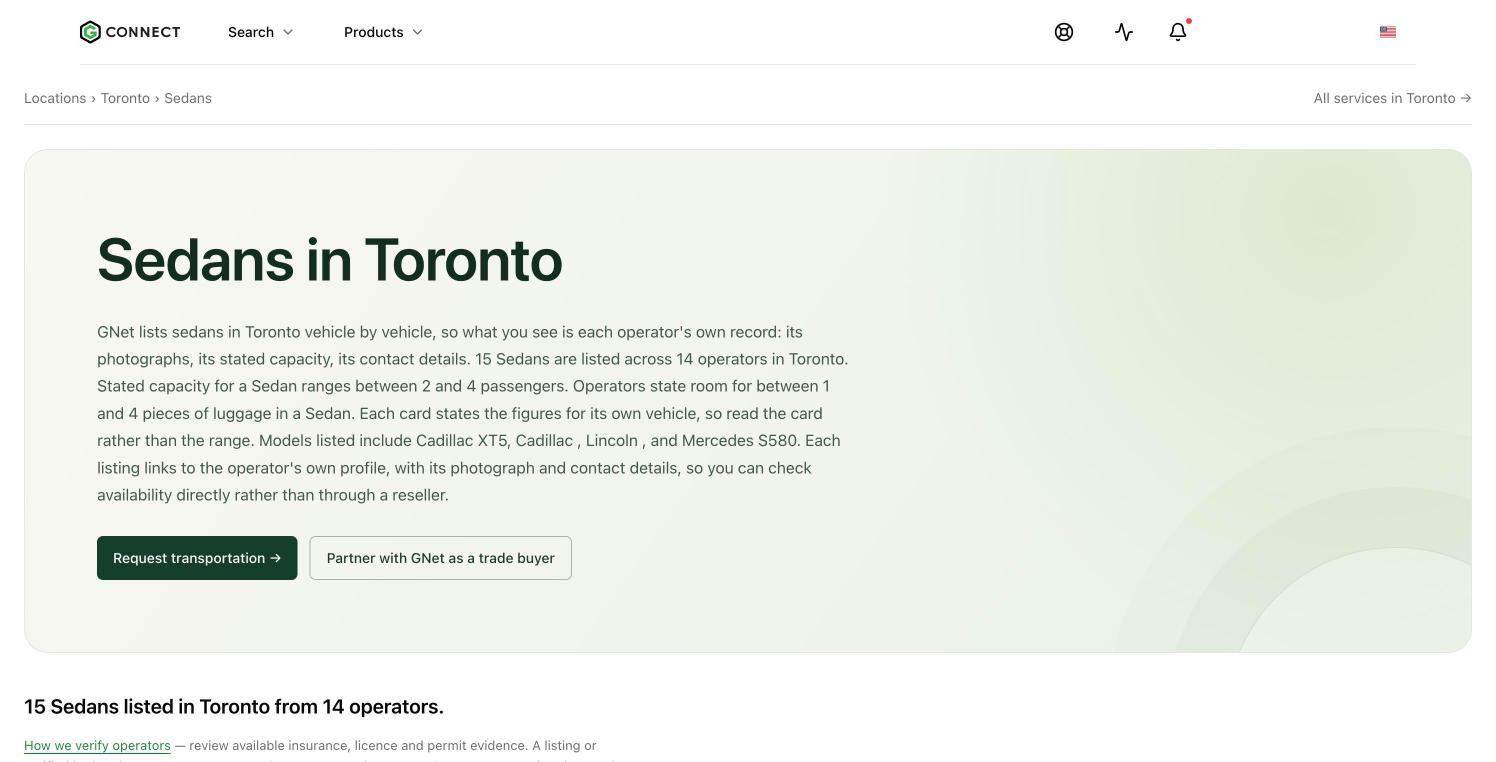
Fleet pages by city and vehicle class have a clearer hero, larger vehicle photos, and full titles and descriptions. Request transportation and Partner with GNet as a trade buyer now sit in the hero instead of below the listing. A request started from a fleet page carries the vehicle class into the form as a vehicle preference.
Requesting a trip
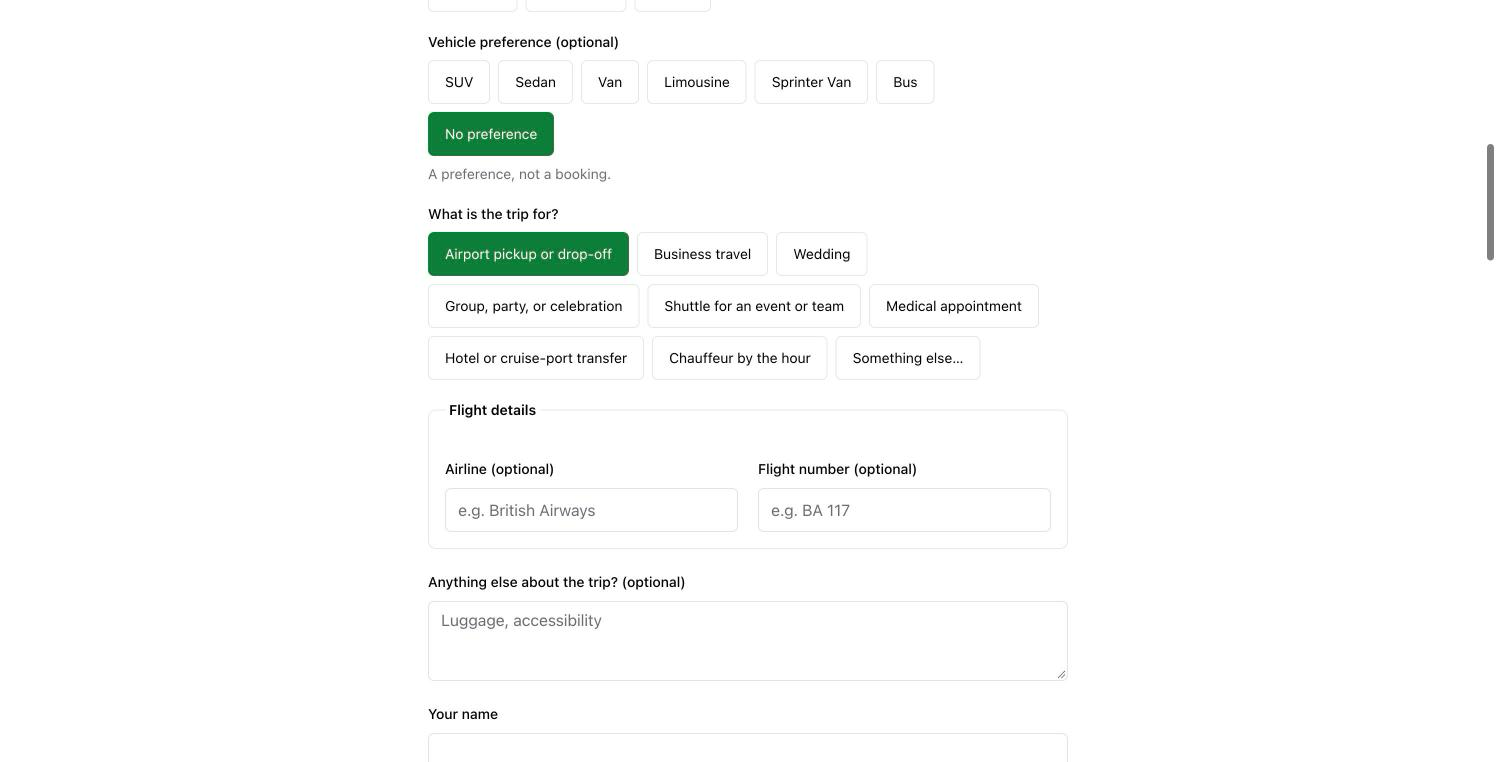
- The request page asks for the trip, not GNet’s categories. The city comes from the pickup address, the service is one of eight plain-language options, and both are on one screen.
- Airport transfers have optional Airline and Flight number fields.
- An optional Vehicle preference: SUV, Sedan, Van, Limousine, Sprinter Van, Bus, or no preference.
- Every request now gets a receipt email, and Resend on the confirmation screen resends that same request instead of creating a second one.
- City pages for London and Chicago carry a short starter form that opens the request page already filled in.
Natural-language search
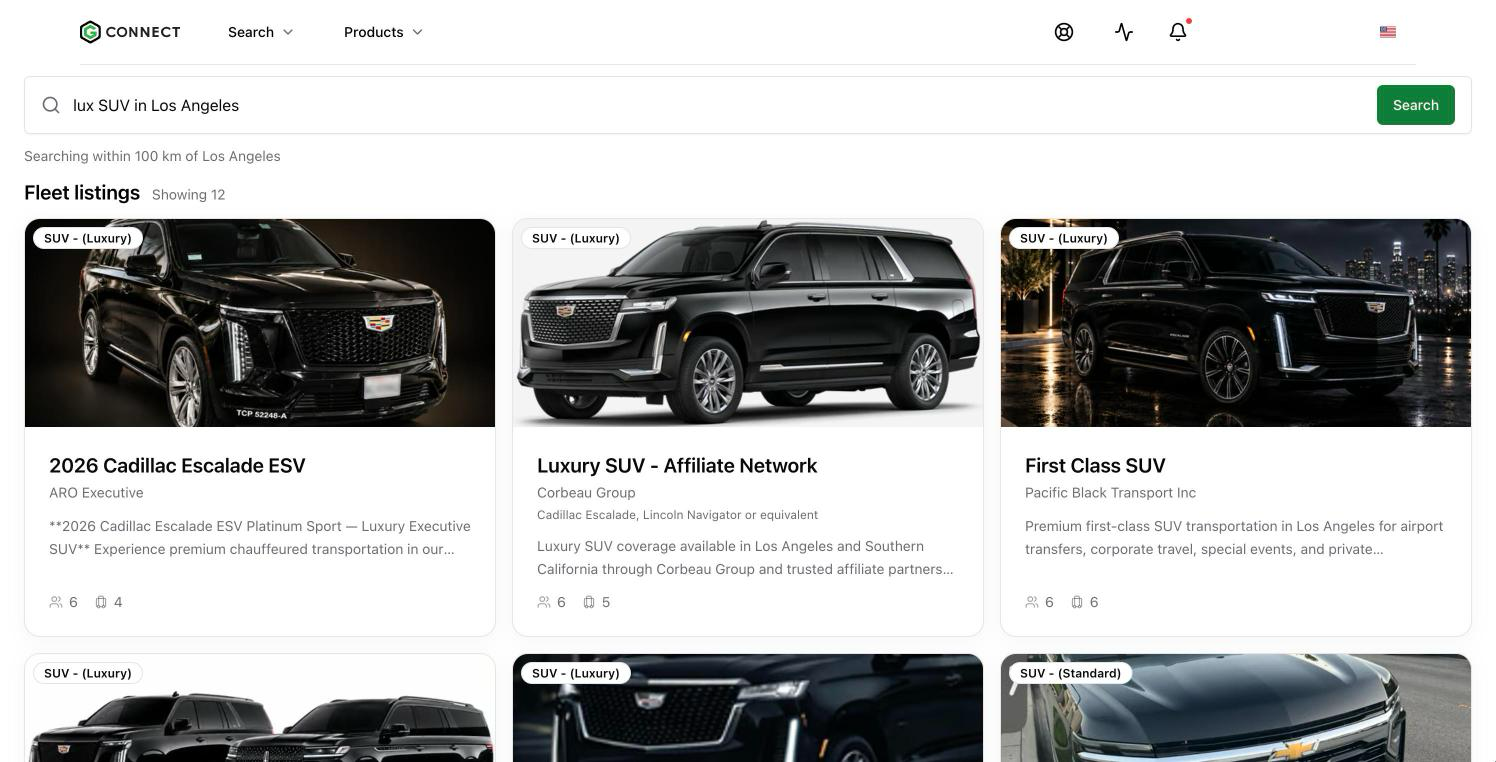
Type a request in plain words on /find, such as “lux SUV in Los Angeles”, and GNet turns it into service, vehicle, and location filters. Vehicle-led requests show matching fleet listings first, then operators.
Pricing and contact
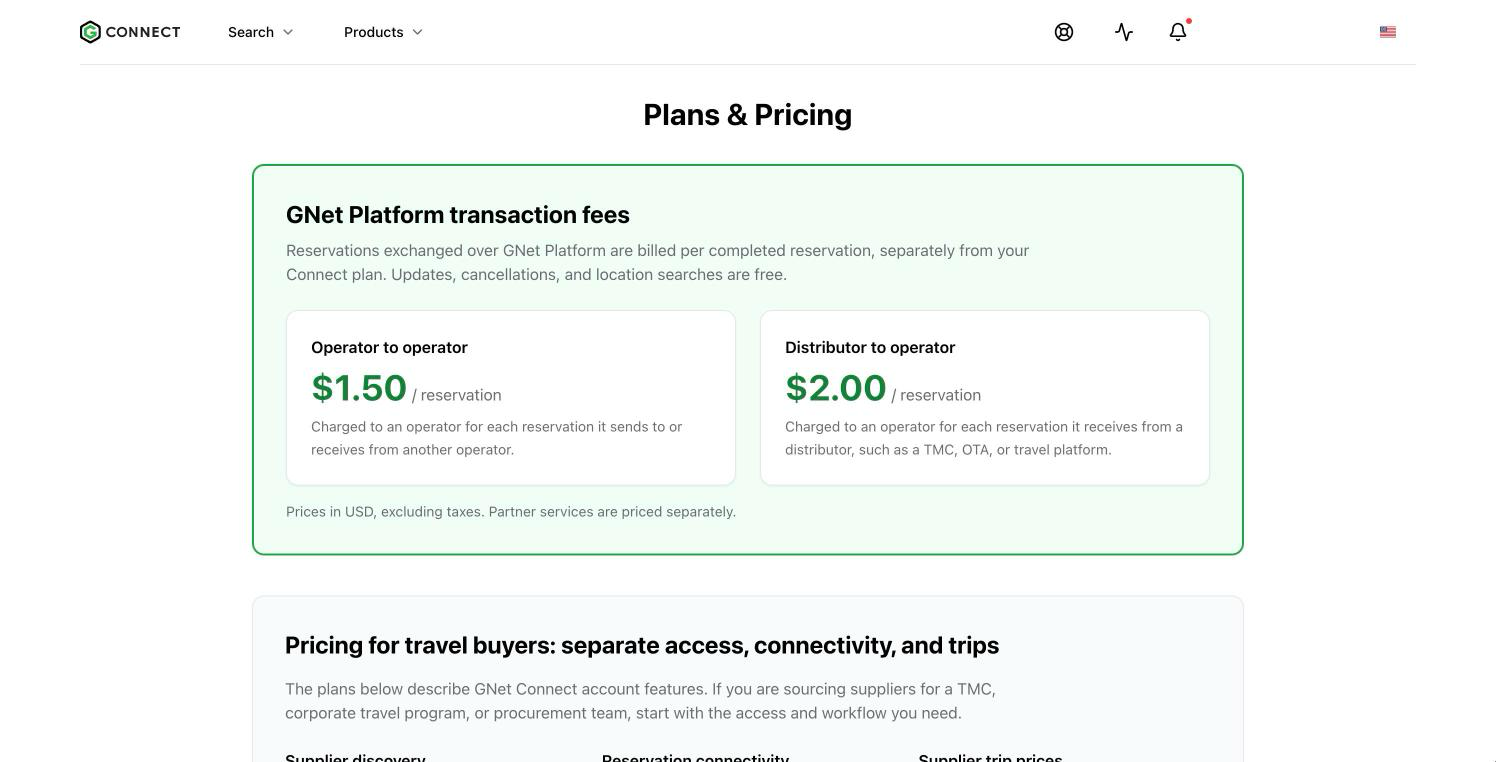
/pricingand the FAQ now state the GNet Platform transaction fees: USD 1.50 per completed reservation sent to or received from another operator, and USD 2.00 per completed reservation received from a distributor such as a TMC, OTA, or travel platform. Updates, cancellations, and location searches are free.- Visitors can contact GNet from a form on Connect at
/contact-us. Existing members are pointed to the support portal.
Marketplace
The marketplace home, product list, and product pages were redesigned, with a search box on the home page and vendor names on every product card. A new page lists limo dispatch software at /marketplace/limo-dispatch-software. Each marketplace page now has its own title and description, so search engines index them separately.
For Vendor Partners: GNet can create a basic marketplace profile for your company from the details already on file, and you can pull product, contact, and pricing details from your own website instead of typing them in.
Activity feed
One tab at a time
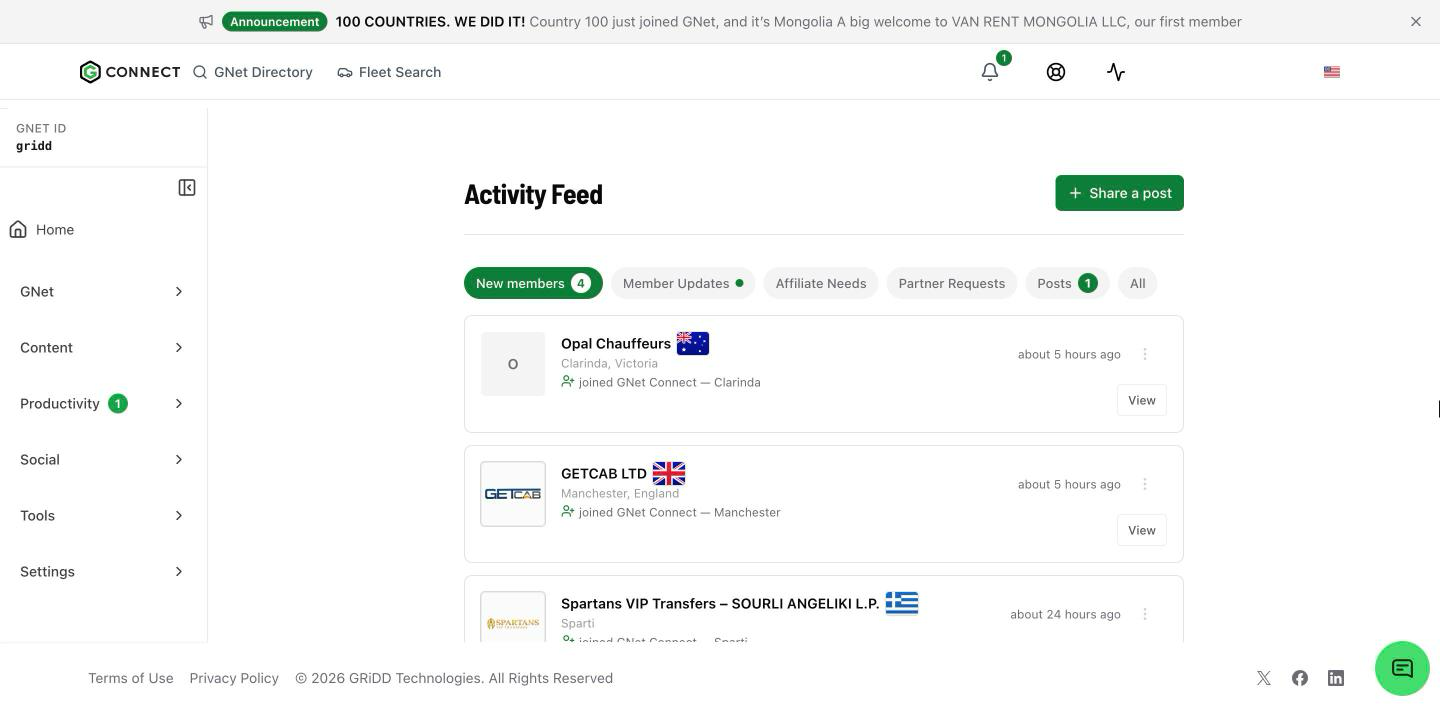
The feed opens on New Members and shows one category at a time: New Members, Member Updates, Affiliate Needs, Partner Requests, Posts, and All. Member Updates groups new vehicles, services, and locations, so one company’s profile edits no longer fill the default view. New Members and Posts show how many items arrived in the past 24 hours, and a dot marks unseen Member Updates.
What appears in the feed
- New Needs appear in the feed again. Network Needs show to everyone, partner Needs only to the publisher’s partners, and editing a Need refreshes its card without moving it to the top.
- A new operator appears in New Members once their profile has real content, and each company appears once.
- A reply to a Need no longer stops the owner’s feed from loading.
New members card
The dashboard Overview has a New members card: joins over the past 24 hours, a seven-day trend, and the countries of the latest members, with a link into the feed.
Hot News bar
Important GNet announcements now appear as a thin bar at the top of the dashboard. Click it to read the full announcement, or dismiss it.
Needs
Send notifications again
A Need’s notifications go out once, when it is created. If that round reached nobody, or subscribers have joined since, open the Need and choose Send notifications again. The page shows how many subscribers will be notified before you send.
- Premium and Enterprise owners can resend once every 24 hours, up to three times per Need. Each resend is charged like a Need update.
- On other plans, you can resend once at no charge if the first round reached nobody and there is now a subscriber to notify.
If you created a Need between 15 September and 3 October, its notifications may not have gone out. Open it and use Send notifications again.
Shared Need links
- Anyone with a shared Need link can open it without signing in. The page shows the passenger count.
- When a Need is filled, cancelled, or taken off the feed, the link explains that it is no longer available and offers the operator’s profile, instead of a bare “not found”.
Reservations and quotations
Trip details on trips that did not go through
On a trip that failed, was rejected or cancelled, or was never confirmed by the provider, both sides now see the airport code or city instead of the full address, and masked passenger names and phone numbers. Status, reservation numbers, pickup time, passenger count, and vehicle type stay visible, so you can still work out what went wrong. Full details appear once a trip is confirmed.
Quotations
- Edit a quotation. Edit opens the quotation form with the saved trip details and prices loaded. Result cards open the reservation in a new tab.
- Clearer outcomes. If GNet cannot tell whether a quotation reached the network, you are warned before resending it, so you do not send it twice.
- No self-quotes. Your own company is no longer offered as a quotation partner. Choose another partner, or AutoQuote to quote across the network.
- Known GNET refusals now show their reason instead of a duplicate-request warning.
gBook and partners
- The gBook Partner field is searchable by partner ID or name.
- gBook accepts trips that are not yet confirmed and summarises any rows it could not import.
- Partners, received invitations, and sent invitations are listed newest first.
Integrations, testing, and Vendor Partners
Integration Robot: Farm Out testing
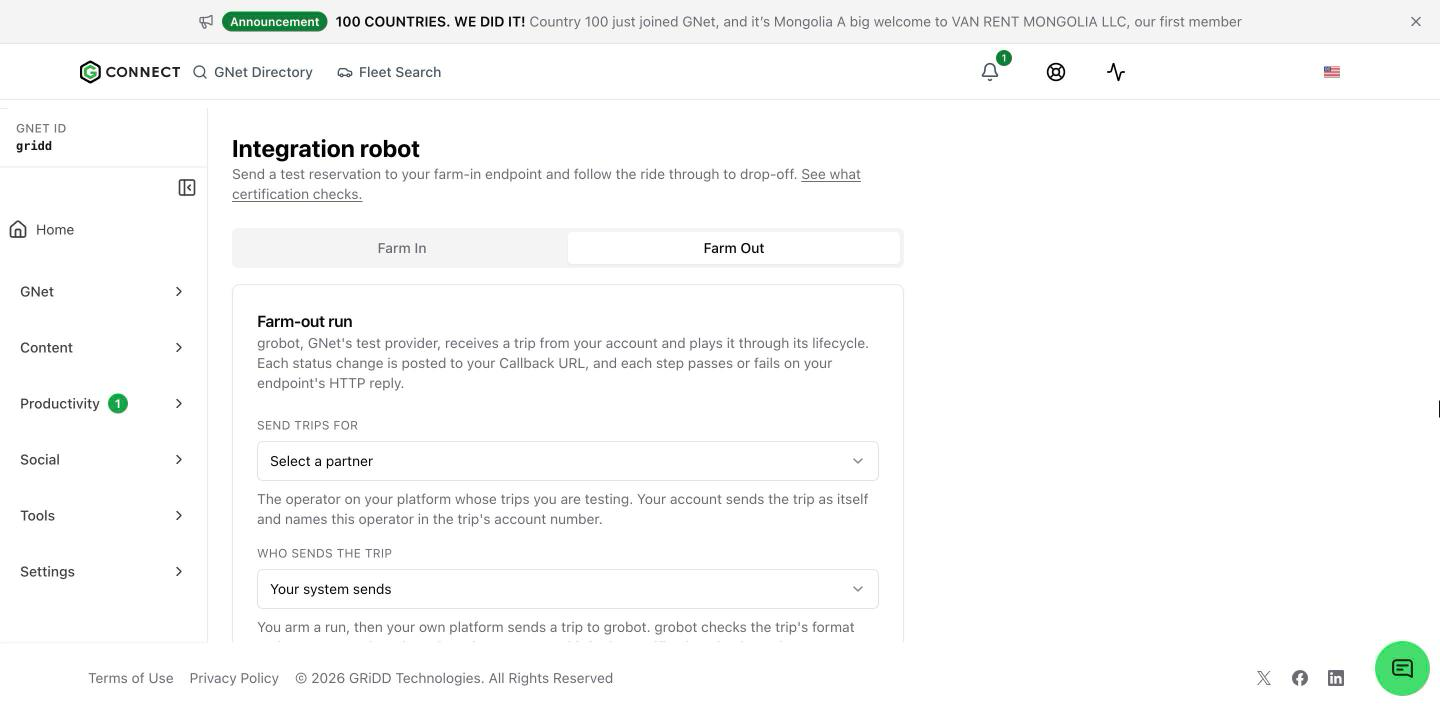
The Integration Robot used to test only Farm In, where GNet sends a trip to you. It now tests Farm Out as well. Send a trip to GNet’s test provider from your own system or from the console, and the robot plays the provider through the scenario you picked. For each step you see whether the status callback reached your listener and whether the trip you sent was formatted correctly. The Farm Out preview shows your account’s callback URL in full.
Integration Robot: more Farm In scenarios
- Test case picker: cancel after confirm, pickup change after confirm, and quote.
- Airport Run reservation type, with an airport at the pickup or drop-off.
- Run another test resets the console in one click and keeps your picks.
- The Send to partner picker is searchable, and each partner is listed once.
- Farm In runs no longer require saved adapter credentials before they start.
- Test pickups are scheduled 24 hours ahead, in the pickup’s local time zone.
- Each step links to the matching section of the integration docs.
Available to: operators and Vendor Partners on a Gateway integration. Vendor Partners pick the partner the test runs for.
Platform Configuration
- Saving your Platform Configuration updates GNet’s trip routing again. Between 15 and 26 September, a save changed what Connect showed but not the endpoint GNet used. If you changed your adapter URL or credentials in that window, save them once more.
- Vendor Partners can reopen a client’s Platform Configuration and see the saved adapter URL, callback URL, and credentials.
- Fleet, partner, and Limo Anywhere test reservations no longer depend on the other company having signed in recently.
Vendor Partners
- The sidebar’s GNet section holds one My Clients link to your platform clients. gBook and My Partners are hidden from Vendor Partner accounts.
- Vendor Partner accounts can open Partners.
- Subscription upgrade prompts no longer appear on Vendor Partner accounts.
New reservation systems at sign-up
The Reservation System list on sign-up now includes idopp, LimoFlow, Swary, Pickup Dispatch, Good Journey, and OpenLimo.
Documents
- Upload ZIP files. GNet does not open or read their contents.
- Files up to 20 MB, up from 10 MB.
- The fields on a document follow its type, so you only see the dates and details that apply.
- Jump straight to a month and year in the date picker.
- Move documents into folders by dragging them or with Move.
- A title that is already in use gets a clear message asking for a more specific one, instead of “Failed to save document”.
- Documents shared with all GNet members open for any signed-in member.
- Logos and photos can be SVG or AVIF files.
Dashboard, billing, and account
Users and sign-in
- A company can have up to 20 enabled users, up from 10. At the limit, the message says so and suggests disabling an unused user.
- Every sign-out button now fully ends your session, not only the one in the account menu.
- The sign-in button stays in its loading state until the dashboard appears.
Alerts
- Editing one alert channel no longer wipes another. Email and SMS have explicit Add and Save buttons, and a failed save keeps your draft with a retry option.
- Booking alerts (new, updated, and cancelled trips) can be sent to WhatsApp from Settings → Alerts.
Your profile
- If you have no website on file, the dashboard asks once whether you have one. If not, the Onboarding tab walks you through making your GNet page shareable so it can act as your website.
- Content written in one language, such as French only, can be edited from a dashboard in another language without creating an English copy. Your profile score now counts it.
- Profile scores update reliably after you change your content.
- Sign-up requires an address and a phone number on every form.
- If you are already a member of the GNet Facebook group, you can dismiss the invite on the dashboard. The group stays linked under Social in the sidebar.
Billing
- A declined credit purchase now tells you why, and you can retry with another card straight away.
- Plan changes made through Stripe are no longer lost when two updates arrive at once.
- Payment retries are safe to repeat and never charge twice.
Security and privacy
- Sign-in tokens are no longer readable by scripts in the browser.
- Every dashboard action now checks that the data it reads or writes belongs to your company.
- Trip details on failed and unconfirmed trips are masked, as described above.
- Connect was upgraded to the latest Next.js security release.
Questions about any of these changes? Contact support or your GNet account manager.